Mastering Post-Processing for Photographers: Essential Photo Editing Techniques
- Stuart F. James

- May 8
- 5 min read
Photography is a journey that extends beyond the moment the photograph is taken. For me, the true magic often unfolds in the quiet hours spent refining an image, where subtle adjustments breathe life into a captured scene. Post-processing is not merely a technical step; it is an intimate dialogue between the photographer and their vision. It allows us to enhance the story behind each photograph, revealing layers of emotion and detail that might otherwise remain hidden.
In this reflection, I want to share some of the photo editing techniques that have transformed my approach to post-processing. These methods are accessible, practical, and designed to deepen your connection with your images. Whether you are just beginning or looking to refine your skills, I hope these insights inspire you to explore the art of editing with patience and care.
Understanding the Foundations of Photo Editing Techniques
Before diving into complex edits, I find it essential to ground myself in the basics. The foundation of effective post-processing lies in understanding how light, color, and contrast interact within an image. These elements shape the mood and guide the viewer’s eye.
One of the first steps I take is to adjust the exposure. Sometimes, a photo might be slightly underexposed or overexposed, and correcting this can reveal hidden details. I use the histogram as a guide, ensuring that the highlights are not blown out and the shadows retain some texture.
Next, I focus on white balance. This adjustment corrects color casts caused by different lighting conditions. A warm sunset might need a cooler tone to balance the scene, or a cloudy day might benefit from a slight warmth to add life. This subtle shift can dramatically change the atmosphere of a photo.
Finally, I refine the contrast and clarity. Increasing contrast can add depth, while clarity enhances midtone details without affecting the overall exposure. These adjustments help to define shapes and textures, making the image feel more tangible.
By mastering these foundational techniques, I set the stage for more creative edits that bring my vision to life. Remember, however, sometimes it is not necessary to make certain adjustments. You must use your judgment in photo editing.

Enhancing Mood and Storytelling Through Color Grading
Color is a powerful storyteller. It can evoke nostalgia, serenity, or excitement with just a few tweaks. Over time, I have learned to approach color grading as a gentle art, one that complements the story rather than overwhelms it.
One technique I often use is split toning, where shadows and highlights receive different color treatments. For example, adding a cool blue to shadows and a warm orange to highlights can create a cinematic feel. This method is especially effective in landscape and portrait photography, where mood is paramount.
Another approach is to selectively desaturate certain colors to draw attention to the subject. Imagine a vibrant red umbrella in an otherwise muted street scene. By reducing the saturation of surrounding colors, the umbrella becomes a focal point, guiding the viewer’s gaze.
I also experiment with color curves to fine-tune the tonal range. This tool allows me to adjust the brightness of specific color channels, subtly shifting the overall palette. It’s a delicate balance, but when done thoughtfully, it can transform an ordinary image into something evocative.
These color grading techniques invite us to see beyond the literal and engage with the emotional resonance of a photograph.

The Art of Retouching: Preserving Authenticity While Refining Details
Retouching often carries a reputation for heavy-handed manipulation, but I believe it can be a respectful enhancement when approached with restraint. The goal is to preserve the authenticity of the moment while refining distractions that detract from the story.
For portraits, I focus on skin retouching that smooths imperfections without erasing character. Using tools like frequency separation, I can soften blemishes and even out skin tone while maintaining natural texture. This subtlety is key to keeping the subject’s essence intact.
In other genres, such as street or documentary photography, I use retouching to remove minor distractions—like stray litter or power lines—that pull attention away from the main subject. These edits are small but impactful, allowing the viewer to engage more deeply with the image.
Sharpening is another important step. I apply it selectively to enhance details like eyes, hair, or textures, avoiding over-sharpening that can create an unnatural look.
Through careful retouching, I aim to honor the original scene while presenting it in its best light.
Organizing Your Workflow for Consistency and Efficiency
Post-processing can be a time-consuming endeavor, especially when working with large volumes of images. Over the years, I have developed a workflow that balances creativity with efficiency, ensuring that each photo receives the attention it deserves without becoming overwhelming.
I start by culling images, selecting only the strongest shots to edit. This helps me focus my energy and maintain a high standard. Many photographers find it helpful to use software with rating systems or flags to streamline this process.
Next, I apply preset adjustments or create my own presets for common corrections like exposure and white balance. This step speeds up the initial editing phase and provides a consistent look across a series of images.
From there, I move into more detailed edits, applying the photo editing techniques discussed earlier. I work in stages, saving versions along the way to track progress and avoid losing previous edits.
Finally, I export images in appropriate formats and resolutions depending on their intended use, whether for web sharing or print.
This structured approach allows me to maintain a calm and reflective pace, ensuring that each image is thoughtfully crafted.
Embracing Continuous Learning and Growth
Post-processing is a skill that evolves with practice and curiosity. I have found that the best way to deepen my understanding is to engage with the community and seek out resources that challenge my perspective.
For those interested in expanding their skills, I recommend taking the time to learn post processing online. Online courses and tutorials offer a wealth of knowledge, from basic adjustments to advanced techniques, all at your own pace.
Experimentation is equally important. I encourage trying new tools, styles, and workflows to discover what resonates with your artistic voice. Sometimes, the most unexpected edits lead to the most meaningful results.
Above all, patience and reflection are vital. Post-processing is not a race but a journey of discovery, where each image teaches us something new about light, color, and storytelling.
Nurturing Your Vision Through Thoughtful Editing
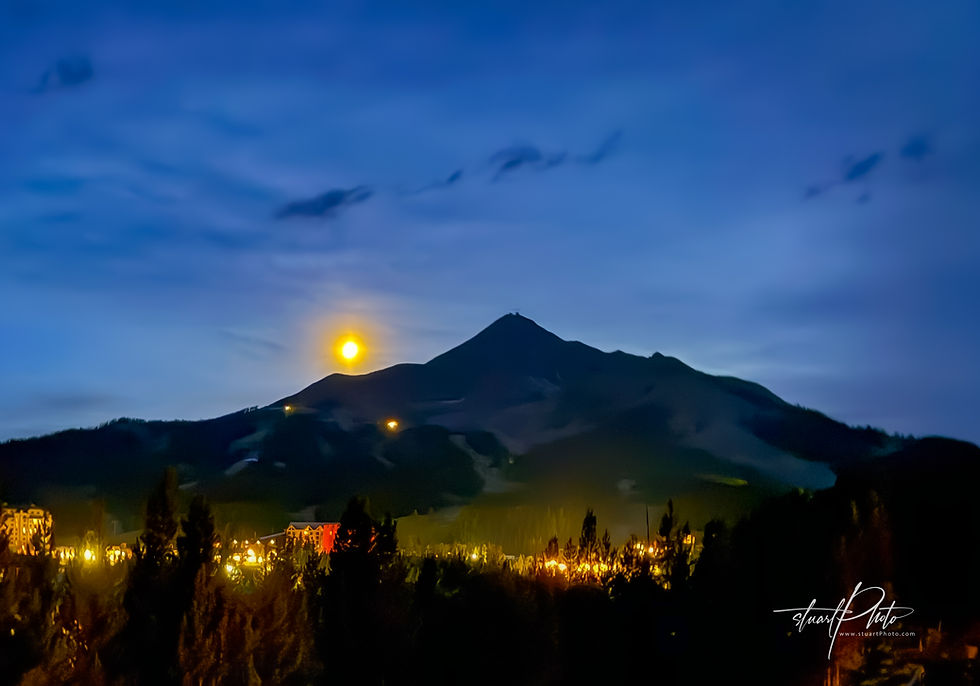
In the end, mastering post-processing is about nurturing your vision with care and intention. It is a quiet conversation between the image and the artist, where every adjustment is a brushstroke on a canvas of light.
By embracing foundational photo editing techniques, exploring color grading, practicing respectful retouching, and organizing your workflow, you create space for your creativity to flourish. This process invites you to see your photographs not just as records of moments but as living stories that continue to unfold.
As you continue on this path, may you find joy in the subtle transformations and the deeper connections that thoughtful post-processing can reveal.
Stuart F. James (sfj@stuartphoto.com)

Comments